
Download Kidsbrowser – Safe, Free, Mac Parental Control Tool
Overview
Kidsbrowser is a lightweight, trial‑version Mac application designed to give parents an extra layer of protection when their children surf the web. First introduced to the catalog in 2007, the software has been quietly refined and now sits at version 3.7, last updated on 6 December 2007. Although its download numbers have slowed, the core promise remains strong: a simple, secure way to filter inappropriate content, limit browsing time, and keep a watchful eye on online activity without overwhelming the user with complex settings.
The program targets Mac OS X and earlier Mac versions, runs in English, and occupies minimal disk space compared with many competing internet security tools. Because it’s a trial version, users can explore the main features for free before deciding whether a full license is needed. In practice, Kidsbrowser acts as a gatekeeper, intercepting requests to unsafe sites and providing parents with real‑time reports.
Its modest footprint makes it ideal for older Macs that might struggle with heavyweight suites, while its straightforward interface ensures that even non‑technical guardians can configure safe‑search parameters in minutes.
Key Features
- Content Filtering: Blocks websites containing adult material, violence, gambling, and other categories defined by the parent.
- Time Management: Set daily or weekly browsing limits; the app automatically logs the child out when the limit is reached.
- Whitelist & Blacklist Controls: Easily add trusted sites to a whitelist or block specific URLs with a blacklist.
- Activity Reports: Generates concise daily and weekly logs that show which sites were accessed, for how long, and any blocked attempts.
- Secure Password Protection: All settings are locked behind a password, preventing children from tampering with the configuration.
- Lightweight Engine: Uses minimal CPU and RAM, ensuring smooth performance even on older Mac hardware.
- Automatic Updates (Trial): Receives occasional patch updates to keep filtering databases current during the trial period.
- Simple Installation Wizard: Guided setup that walks users through basic configuration steps without requiring technical knowledge.
Installation, Usage & Compatibility
Step‑by‑Step Installation
Installing Kidsbrowser is a straightforward process that can be completed in under ten minutes:
- Download the Kidsbrowser.dmg file from the official download page.
- Open the DMG and drag the Kidsbrowser icon into your
/Applicationsfolder. - Launch the application; macOS may prompt you to confirm that you trust the developer—click “Open”.
- When the setup wizard appears, choose your preferred language (English is the only option at this time) and click “Next”.
- Enter a secure administrator password that will protect the settings from alteration.
- Configure the initial filter level (e.g., “Kids Safe”, “Teen Safe”, or “Custom”) and set any immediate time‑limit preferences.
- Finish the wizard and allow Kidsbrowser to run in the background; it will appear as an icon in the menu bar for quick access.
How to Use Kidsbrowser Day‑to‑Day
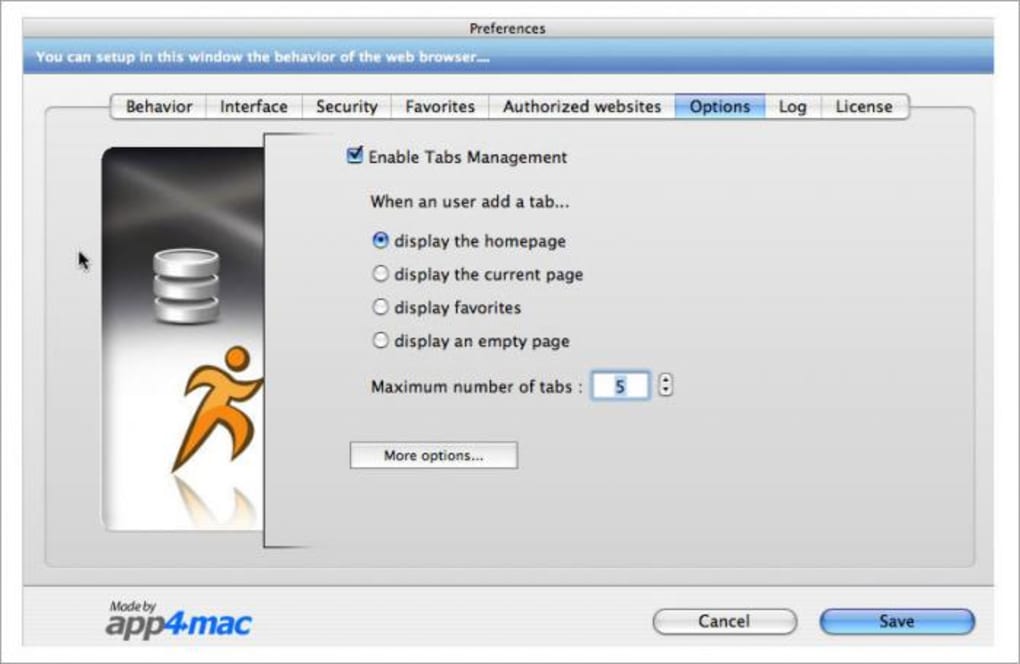
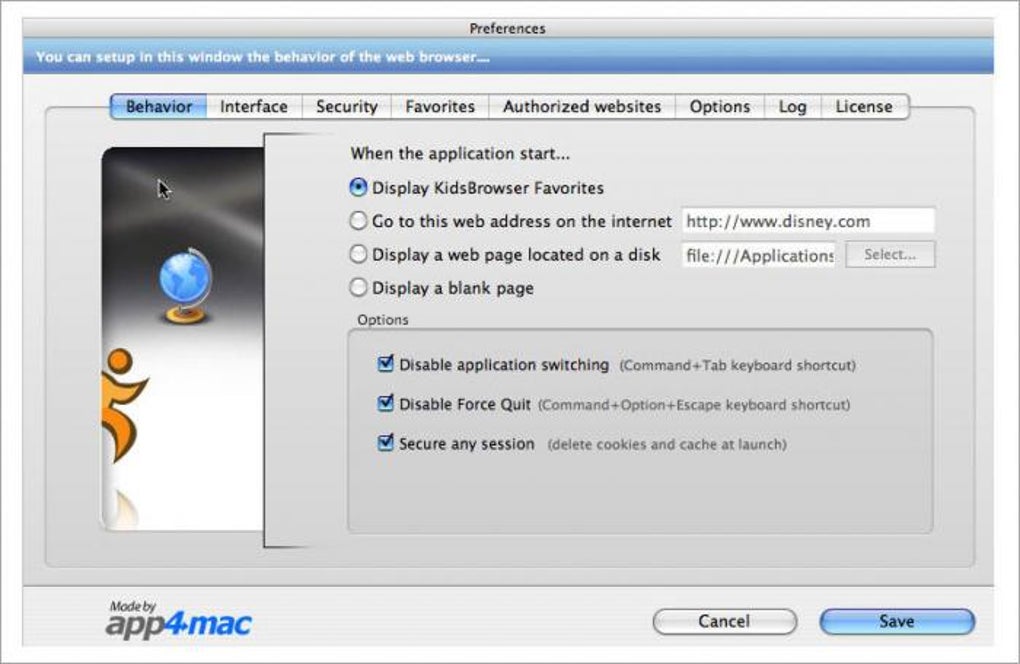
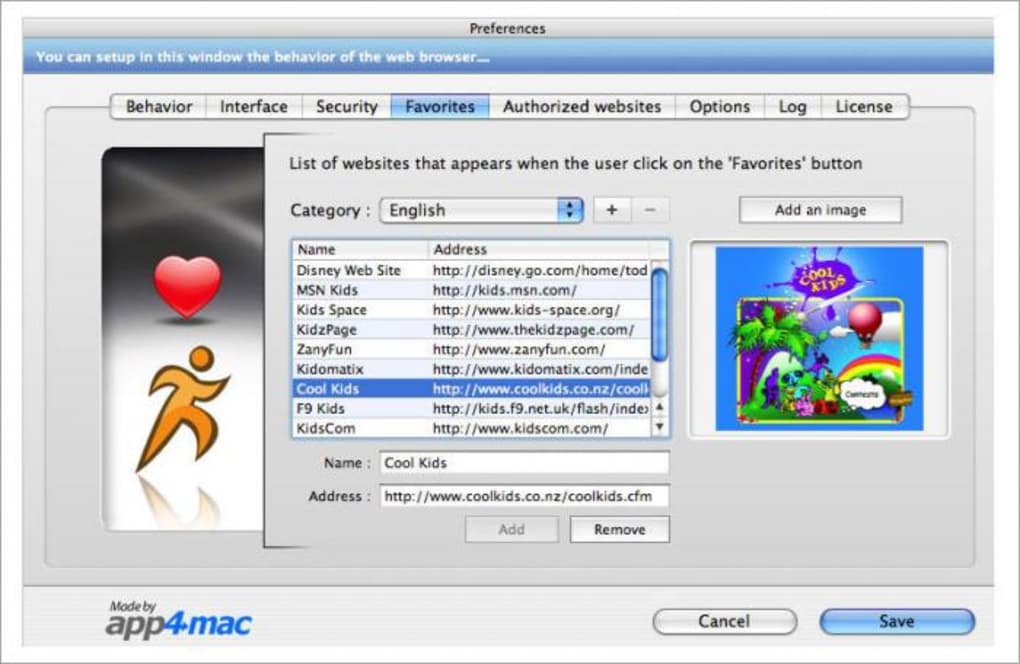
Once installed, Kidsbrowser works silently in the background. Parents can click the menu‑bar icon to open a dashboard that displays current browsing status, remaining time, and recent activity. To modify filters, select “Preferences” from the dropdown, where you’ll find tabs for “Content”, “Time”, and “Logs”.
Adding a website to the whitelist is as simple as typing the URL and clicking “Add”. If a child attempts to visit a blocked site, a friendly warning page appears, explaining why the request was denied. The app also supports scheduled “quiet hours” where internet access is automatically disabled, useful for bedtime or study periods.
System Requirements
Kidsbrowser is compatible with macOS 10.3 (Panther) through macOS 10.7 (Lion). Because it was last updated in 2007, it may not support the very latest macOS releases without compatibility tweaks, but it runs flawlessly on most legacy Mac hardware still in use in homes and schools. The program requires at least 50 MB of free disk space and a modest 20 MB of RAM while active.
Pros & Cons
Pros
- Very low system resource usage, perfect for older Macs.
- Intuitive interface that requires minimal technical knowledge.
- Comprehensive content filtering with customizable categories.
- Built‑in time‑management tools help enforce healthy screen habits.
- Free trial version lets parents test core features before buying.
Cons
- Last official update was in 2007; newer web threats may not be covered.
- English‑only interface limits accessibility for non‑English speaking families.
- No mobile (iOS/Android) companion app, restricting cross‑device control.
- Limited integration with modern macOS security frameworks (e.g., Gatekeeper).
- Full version requires a paid license, but pricing details are not listed on the trial page.
FAQ
-
Is Kidsbrowser free or do I need to purchase a license?
Kidsbrowser offers a free trial version with all core features. To continue using the software after the trial period, you must purchase a full license, which unlocks ongoing updates and premium support.
-
Can I use Kidsbrowser on the latest macOS versions?
The official build supports macOS 10.3 through 10.7. While it may still run on newer versions, you might encounter compatibility warnings. For the best experience, use it on supported OS versions or consider a modern alternative.
-
How does Kidsbrowser handle HTTPS sites?
Kidsbrowser inspects the URL of HTTPS sites before the connection is established, allowing it to block or allow access based on the domain. It does not decrypt the content, preserving privacy while still enforcing filter rules.
-
Can I receive email alerts when a blocked site is attempted?
The trial version does not include email notifications. This feature is available only in the paid version, where parents can configure alerts to be sent to their inbox.
-
Is there a way to customize the warning page shown to kids?
Yes. In the Preferences panel, under the “Content” tab, you can edit the text of the warning message or replace it with a custom HTML file, allowing you to tailor the tone to your family’s needs.
Conclusion & Call to Action
Kidsbrowser remains a solid choice for families that still run legacy Mac hardware and need a straightforward, low‑impact parental control solution. Its lightweight design, easy setup, and essential filtering capabilities make it especially appealing for users who dislike bloated security suites. However, the lack of recent updates and modern cross‑platform support means it may not be the best fit for households seeking the latest threat intelligence or integration with iOS/Android devices. If you’re looking for a no‑frills, free trial that protects children on a Mac without sacrificing performance, give Kidsbrowser a try. Download the trial today, explore the filtering and time‑management tools, and decide whether the paid version aligns with your long‑term safety strategy.







